

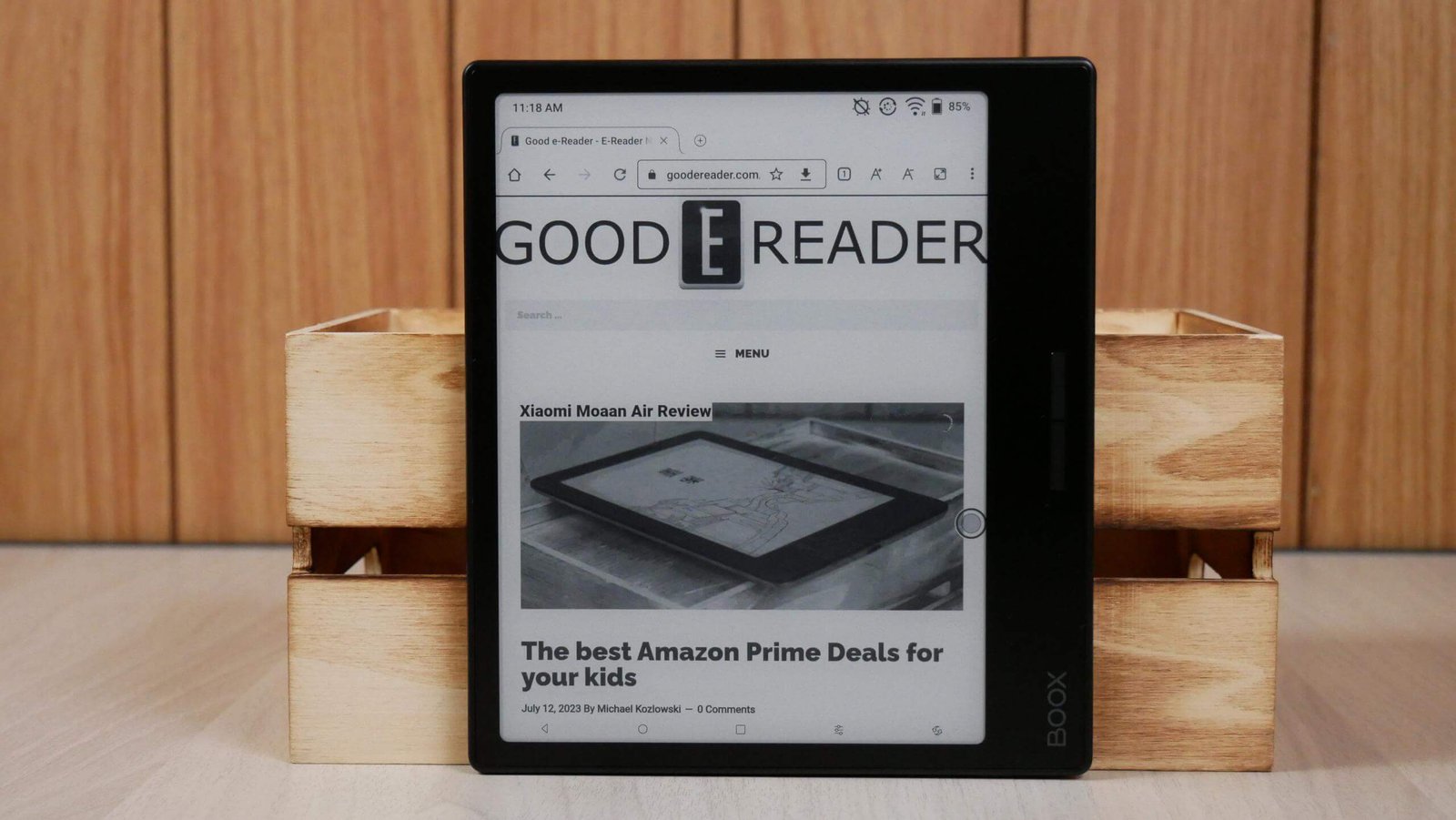
Introduction to the BOOX Page eReader
The BOOX Page is a modern eReader developed by Onyx International under its popular BOOX lineup. It represents a shift from traditional eReaders toward more flexible, Android-powered reading devices that combine the simplicity of E Ink displays with the functionality of a tablet. As digital reading continues to evolve, users now expect more than just basic book-reading features, and the BOOX Page is designed to meet those expectations.
This device is particularly appealing to readers who want freedom in how they consume content. Instead of being limited to a single ecosystem, the BOOX Page allows access to multiple apps and formats, making it highly adaptable. Whether you are reading novels, PDFs, research papers, or online articles, this device aims to deliver a seamless and comfortable experience while maintaining the eye-friendly benefits of E Ink technology.
Design and Build Quality of BOOX Page
The design of the BOOX Page focuses on portability and comfort. It features a slim and lightweight body, making it easy to carry around for daily use. The ergonomic structure ensures that users can hold it for long periods without experiencing fatigue. The inclusion of physical page-turn buttons on the side adds to its practicality, especially for one-handed reading.
The build quality feels premium despite its lightweight construction. The textured back provides a secure grip, reducing the chances of accidental drops. The overall design is minimalistic yet functional, reflecting the needs of modern readers who prioritize both aesthetics and usability. This combination of design elements makes the BOOX Page suitable for travel, study sessions, and casual reading alike.
Display Technology and Visual Experience
One of the most important aspects of any eReader is its display, and the BOOX Page excels in this area. It uses a high-resolution E Ink Carta display, which mimics the appearance of real paper. This reduces eye strain significantly compared to traditional LCD or OLED screens, making it ideal for extended reading sessions.
The display also includes adjustable front lighting with both warm and cool tones. This feature allows users to customize their reading environment based on lighting conditions, whether they are reading in bright daylight or a dark room. The clarity, contrast, and sharpness of text enhance the overall reading experience, making it comfortable and immersive for users of all ages.
Performance and Hardware Capabilities
The BOOX Page is powered by a capable processor combined with sufficient RAM to ensure smooth performance. Unlike older eReaders that often feel slow and limited, this device can handle multitasking efficiently. Users can switch between apps, open large documents, and browse the web without significant lag.
Storage is another important factor, and the BOOX Page provides ample internal space for books, documents, and apps. Additionally, it supports expandable storage, which is particularly useful for users with extensive digital libraries. The battery life is optimized for long reading sessions, lasting days or even weeks depending on usage, thanks to the power efficiency of E Ink technology.
Android Operating System and App Ecosystem
A major advantage of the BOOX Page is its Android operating system. This open platform allows users to install a wide range of apps, including popular reading apps like Kindle, Kobo, and Google Play Books. This flexibility gives users complete control over their reading experience, unlike closed ecosystems that restrict content sources.
The Google Play Store integration ensures that users can download apps directly without complicated processes. This makes the device not just an eReader but also a productivity tool. Users can access note-taking apps, cloud storage, and even light productivity tools, expanding the functionality of the device beyond traditional reading.
Reading Features and Format Support
The BOOX Page supports a wide variety of file formats, making it highly versatile. Users can read EPUB, PDF, MOBI, DOCX, and many other formats without needing to convert files. This is particularly useful for students and professionals who deal with different types of documents regularly.
Customization options further enhance the reading experience. Users can adjust font size, style, spacing, and margins according to their preferences. Features like highlighting, annotations, and dictionary support make it easier to interact with text. These tools are especially valuable for academic and research purposes, where active reading is essential.
Audio Features and Connectivity Options
In addition to reading, the BOOX Page also supports audio features. It includes built-in speakers and Bluetooth connectivity, allowing users to listen to audiobooks or music. This adds another layer of convenience, as users can switch between reading and listening depending on their situation.
Wi-Fi connectivity enables easy downloading of books, syncing with cloud services, and browsing the internet. The ability to connect wireless headphones enhances the audio experience, making it suitable for private listening. These connectivity options ensure that the device remains versatile and useful in different scenarios.
Advantages of Using the BOOX Page
The BOOX Page offers several advantages that set it apart from traditional eReaders. Its open Android system provides unmatched flexibility, allowing users to customize their device according to their needs. This makes it ideal for people who use multiple reading platforms or require access to various types of content.
Another key benefit is its eye-friendly display, which reduces strain during long reading sessions. The combination of advanced features, customizable settings, and strong performance makes it a well-rounded device. It caters to a wide audience, including students, professionals, and casual readers who want more than a basic eReader.
Limitations and Practical Considerations
Despite its many strengths, the BOOX Page is not without limitations. The Android interface, while powerful, can be slightly complex for users who are accustomed to simpler eReaders. There may be a learning curve for those who are not familiar with Android devices.
Additionally, E Ink displays are not suitable for all types of content. Activities like video streaming or gaming are limited due to slower refresh rates. While the device can handle basic multimedia tasks, it is primarily designed for reading and light productivity. Users should keep this in mind when considering its overall capabilities.
Who Should Choose the BOOX Page
The BOOX Page is best suited for users who value flexibility and customization. It is an excellent choice for students who need to read academic materials, professionals who handle documents, and tech-savvy readers who want control over their reading environment. Its ability to support multiple apps and formats makes it highly adaptable.
Casual readers who prefer simplicity may find it slightly complex compared to traditional eReaders. However, for those who are willing to explore its features, the BOOX Page offers a powerful and versatile reading experience. It bridges the gap between eReaders and tablets, providing a unique solution for modern digital reading needs.
Final Thoughts on the BOOX Page
The BOOX Page represents a new generation of eReaders that combine innovation with practicality. It goes beyond the limitations of traditional devices by offering an open ecosystem, strong performance, and a customizable user experience. Its E Ink display ensures comfort, while its Android platform provides flexibility.
Overall, the BOOX Page is a compelling choice for anyone looking to upgrade their reading experience. It successfully balances functionality and comfort, making it suitable for a wide range of users. As digital reading continues to grow, devices like the BOOX Page are setting new standards for what an eReader can achieve.
Read More: Infotechtimes
